

Memory
Use Memory to give the agent rules about useful details to retain, such as a caller’s preferred language. Keep confidential or unnecessary information out of those rules.
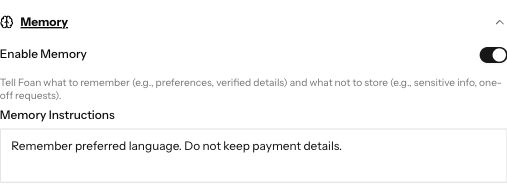
Demonstration data. Enable Memory and the Memory Instructions box.
1. Open the agent
Section titled “1. Open the agent”Go to Agents, open the agent you want to change, and expand Memory.
2. Write the memory rules
Section titled “2. Write the memory rules”Turn on Enable Memory. In Memory Instructions, describe what to remember and what not to keep. For example: remember the customer’s preferred language, but do not store payment card details.
3. Save and check the behaviour
Section titled “3. Save and check the behaviour”Press Save. Use the agent’s preview to check a harmless example before relying on the instructions for customer conversations. Turning a setting on does not prove every detail will be remembered correctly.
If the controls are missing
Section titled “If the controls are missing”Check that you opened an agent you can edit. Ask an account owner or admin if your login only permits taking calls.
Next steps
Section titled “Next steps”- Write your agent: identity, task and behaviour.
- Test your agent: try the saved instructions.